How to Install IPTV on Google TV Complete Guide to GSE Smart IPTV and Sideloading
Simple and straightforward IPTV installation on Google TV. Sideload apps and enable streaming in minutes.
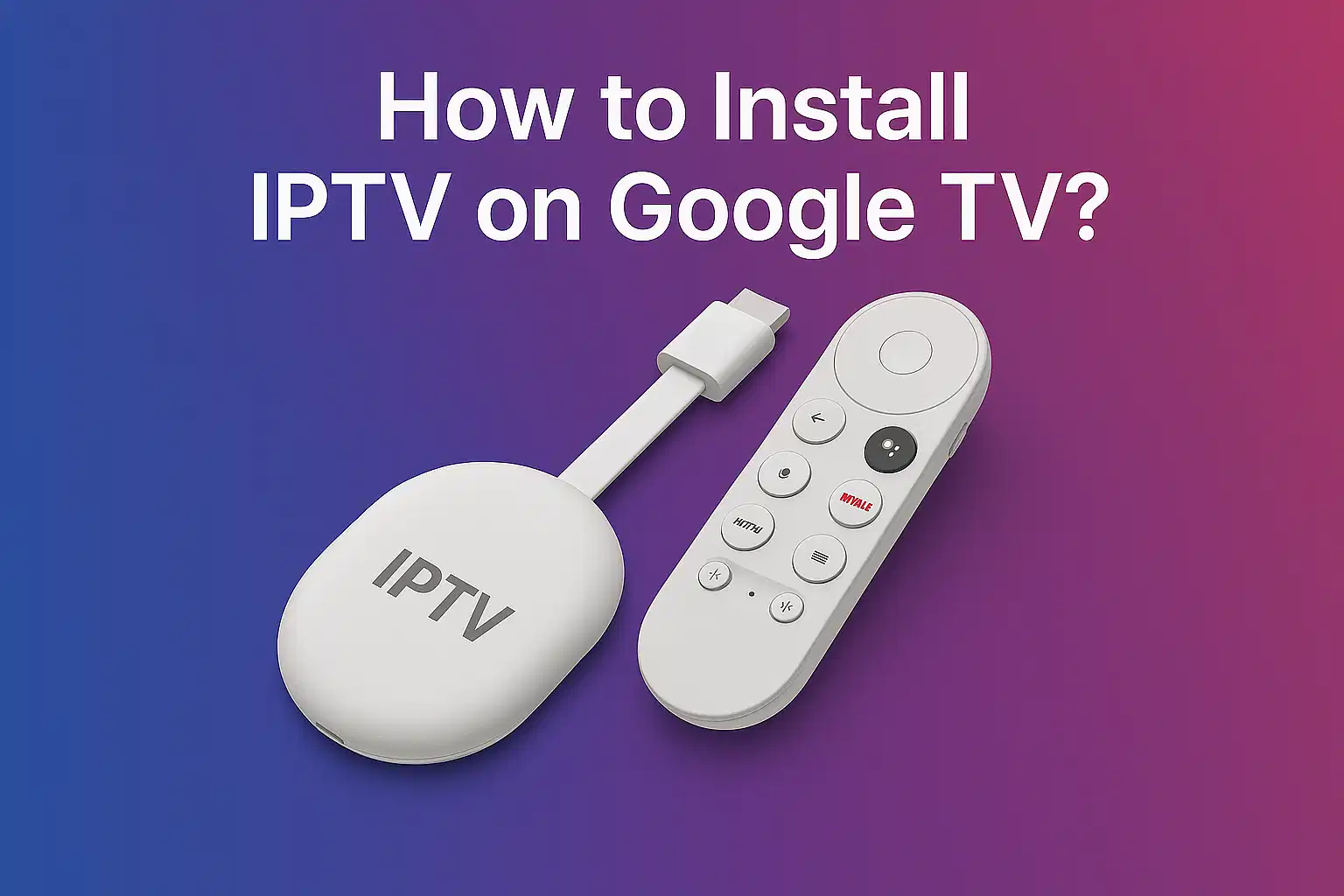
Installing IPTV on Google TV is simple and straightforward, even if your preferred IPTV app isn't available in the Play Store. This comprehensive guide highlights the process of sideloading IPTV apps using a downloader tool, enabling unknown sources, and manually installing the APK file. Whether you're using GSE Smart IPTV, Smart IPTV, or another IPTV player, this guide is your complete starting point to unlock seamless IPTV streaming on your Google TV device.
How to Get IPTV on Google TV: Easy Setup Guide
With Google TV, an IPTV subscription allows you to conveniently access thousands of channels, films, and TV shows directly on your screen. Setting up IPTV on Google TV is a straightforward operation whether you have a built-in Google TV unit or a Chromecast with Google TV. With just a few simple steps, follow this tutorial to enable your IPTV service on Google TV and start streaming immediately.
How to Add M3U Link or Xtream Codes in GSE Smart IPTV
Adding your IPTV playlist to GSE Smart IPTV is the quickest way to get started with IPTV streaming on Google TV. Follow these steps:
Open GSE Smart IPTV and Accept Terms
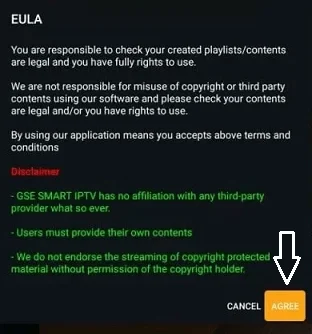
Open the GSE Smart IPTV app on your Google TV and tap "Agree" to accept the terms and conditions.
Add Your M3U URL
To configure your IPTV service, go to "Remote Playlist", then select "Add M3U URL" and enter the M3U link provided by your IPTV provider. The M3U URL is essential for loading your channels into GSE Smart IPTV.
Configure Xtream Codes (If Applicable)
If your IPTV provider uses Xtream Codes instead of M3U URLs, choose the "Xtream Codes API" option and input the necessary authentication details provided by your service provider.
Set Up the EPG Program Guide
For an enhanced viewing experience with IPTV channels, click on "EPG Program Guide" and follow the on-screen prompts to set it up. The EPG will display program schedules for your IPTV channels.
Start Streaming
That's it—you're all set to start watching your favorite IPTV channels and content on Google TV!
How to Sideload IPTV on Google TV: Manual APK Installation
If your chosen IPTV player or IPTV app isn't available on the Google TV app store, you can still install it by sideloading the APK file manually. This method works for GSE Smart IPTV, Smart IPTV, and other IPTV applications for Google TV.
Enable Developer Mode on Google TV
To begin the IPTV sideloading process, first enable Developer Mode:
- Click your profile icon in the top right corner
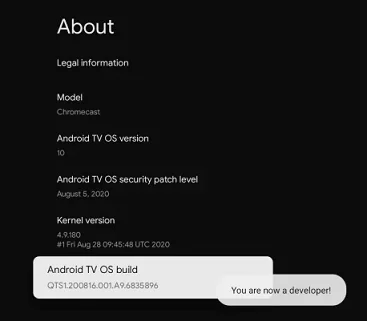
- Navigate to Settings > System > About
- Scroll down to "Android TV OS Build" and tap it multiple times (usually 7-10 times) until you see a message confirming that developer mode is enabled
Install a Downloader App on Your Google TV
Use the search feature from the menu bar to install a downloader tool:
- Click the Search option from the main menu bar
- Search for "Downloader" and install the application
- This tool will help you download the IPTV APK file directly to your device
Enable Installation from Unknown Sources
For IPTV sideloading to work, you must allow your device to install apps from unknown sources:
- Navigate to Settings > Apps > Security & Restrictions
- Select "Unknown Sources" and enable it for the Downloader app
- This permission allows you to install the IPTV APK manually
Download and Install the IPTV APK
Now you're ready to sideload your IPTV application:
- Open the Downloader app on your Google TV
- In the URL field, enter the APK link for GSE Smart IPTV or your preferred IPTV player
- Press "Go" to download the file
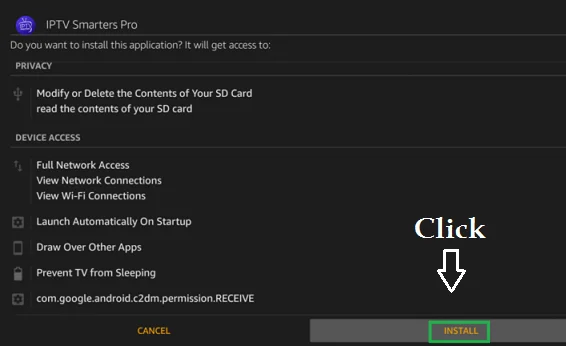
- Once downloaded, click "Install" to complete the IPTV installation
Congratulations! You've successfully sideloaded your IPTV app on Google TV and can now configure it with your IPTV subscription details.
Troubleshooting IPTV on Google TV
❓ Where do I find the M3U URL for my IPTV subscription?
Upon signing up for an IPTV service, your IPTV provider will supply you with either an M3U URL or Xtream Codes credentials. Check your IPTV provider portal or your email confirmation for the specific details. The M3U link is typically labeled as "Playlist URL" or "M3U URL" in your account settings.
❓ Can I install multiple IPTV apps on Google TV?
Yes, absolutely! Google TV allows you to install several IPTV applications simultaneously. You can have multiple IPTV players like GSE Smart IPTV, Smart IPTV, and others all installed on your device. Make sure every IPTV app is correctly configured with its own M3U URL or Xtream Codes credentials from your respective IPTV providers.
❓ Why isn't my IPTV subscription working on Google TV?
If your IPTV service isn't working on Google TV, verify the following:
- Ensure your IPTV subscription is currently active and not expired
- Confirm that your M3U URL or Xtream Codes are correctly entered in your IPTV app
- Check that your internet connection is stable and functioning properly
- Restart the IPTV application and try again
- If problems persist, contact your IPTV service provider for technical assistance
❓ Is sideloading IPTV apps on Google TV safe?
Sideloading is safe when you download APK files from trusted sources. Always verify the authenticity of the IPTV app you're downloading, and ensure you've enabled Unknown Sources only for the Downloader app to maintain device security.
Conclusion
Whether you choose to add your IPTV playlist directly through the Google TV app store or sideload your preferred IPTV application, this guide covers everything you need to know. Setting up IPTV on Google TV is a simple process that takes just minutes, and once configured with your M3U URL or Xtream Codes, you'll have instant access to thousands of IPTV channels, movies, and shows. Enjoy seamless IPTV streaming on your Google TV today!